shipnotes-components
Dust Orb v2
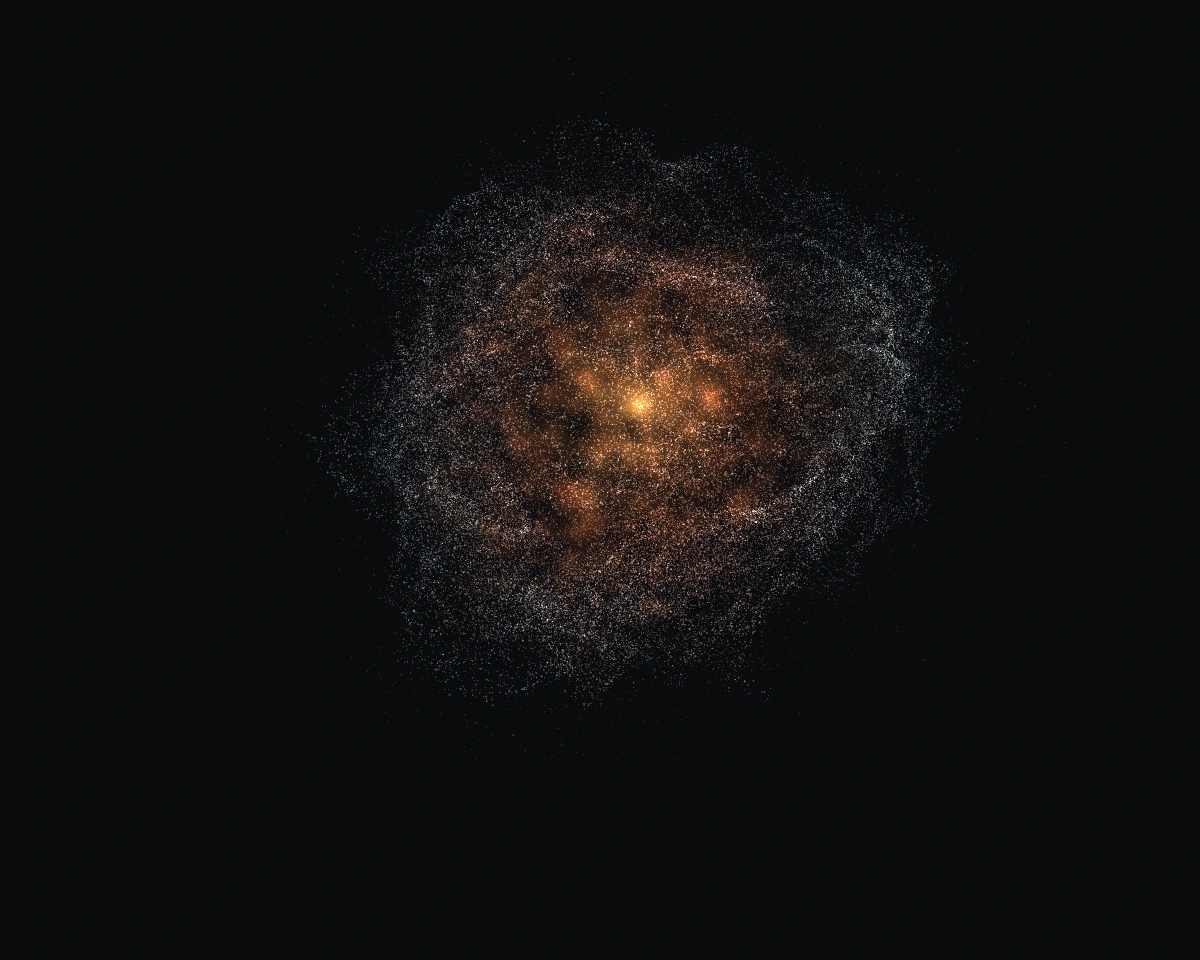
A face for your AI. Layers of dust reach toward your cursor, the inner light follows, and the cloud settles back when you leave. Drag to rotate, tap for a pulse, or switch between five assistant states.
Free source, MIT licence. Use and adapt it in personal and commercial projects. Keep the licence notices.
Try v2 · v2 files · Original v1 demo · v1 instructions
What changed
- Three folded layers, cooler outer grains and a warm inner light.
- Local cursor attraction with a delayed light response and a smooth release.
- Rotation with inertia, tap pulses and continuous state transitions.
- Optional Air + glass sound, shared with Iris.
- Rendering pauses offscreen and in hidden tabs.
Start
Copy the v2 folder. Run python -m http.server 8080 inside it and open http://localhost:8080/.
To embed it, load these four scripts in order and give the element a height:
<script src="vendor/three-r180.js" defer></script>
<script src="vendor/motion.js" defer></script>
<script src="material.js" defer></script>
<script src="dust-orb.js" defer></script>
<dust-orb id="orb" style="display:block;width:100%;height:420px"></dust-orb>
<script>
  customElements.whenDefined('dust-orb').then(() => {
    document.getElementById('orb').setState('listening');
  });
</script>
No build step, CDN, account or API key. Built with JavaScript, Three.js and WebGL 2. The demo has state controls and an animated speaking envelope. Connect your own speech recognition, model and audio playback through the API below. The filmed conversation is a scripted demonstration.
Only load demo.js for the included demo. In your own app, drive the component directly so its demo voice loop does not overwrite your audio levels.
Control it
| Method | Use |
|---|---|
setState(name) |
idle, listening, thinking, speaking, agitated |
setVoiceLevel(level) |
Voice loudness from your app, 0 to 1 |
pulse() |
Send a brief impulse through the cloud |
setEnergy(level) |
Motion strength, 0 to 1 |
setLight(level) |
Inner light, 0 to 1 |
setQuality(value) |
'auto', 16000, 40000, 80000, 140000, 200000 |
pause(true/false) |
Pause or resume motion |
stats |
Particle count, measured fps, quality, device and fallback status |
destroy() |
Release listeners and graphics resources; removal also calls this |
State aliases: alert and error map to agitated; talking to speaking; processing to thinking; waiting to idle. setVoice() aliases setVoiceLevel().
Events: statechange, qualitychange, performance. Data is in event.detail.
orb.setState('thinking');
// When your app starts playing its answer:
orb.setState('speaking');
orb.setVoiceLevel(0.6);
// Once playback ends:
orb.setVoiceLevel(0);
orb.setState('idle');
Rendering
WebGL 2 via bundled Three.js r180. The GPU draws up to 200,000 dust particles and 1,400 soft light particles. Automatic quality adjusts density to measured frame time. Actual performance depends on the device and canvas size; lower the density on slower hardware.
When WebGL cannot be created, a simpler Canvas 2D fallback draws 5,000 points. It preserves basic interaction and state colours, with less visual detail. Reduced motion is respected. Rendering stops offscreen and while the document is hidden.
Sound
Press Sound off in the demo to enable Air + glass. It includes an ambient bed and state-change cues. The browser requires a user gesture before playback. These are interface sounds; the package does not include the spoken dialogue from the reel.
The sound bank and player are optional. For a silent embed, the four scripts above are sufficient. See v2/demo.js for the adapter that connects the sound player to state changes.
For repeatable capture, set the recording attribute and call renderAt(seconds, {state:'listening'}). Remove the attribute to return to live rendering.
Own code, Motion helpers and the Air + glass bank/player are MIT. Three.js has its own MIT notice in v2/vendor/THREE-LICENSE.txt.